Case Study · Independent product · 2026
Time to Pause: Symptom Tracker
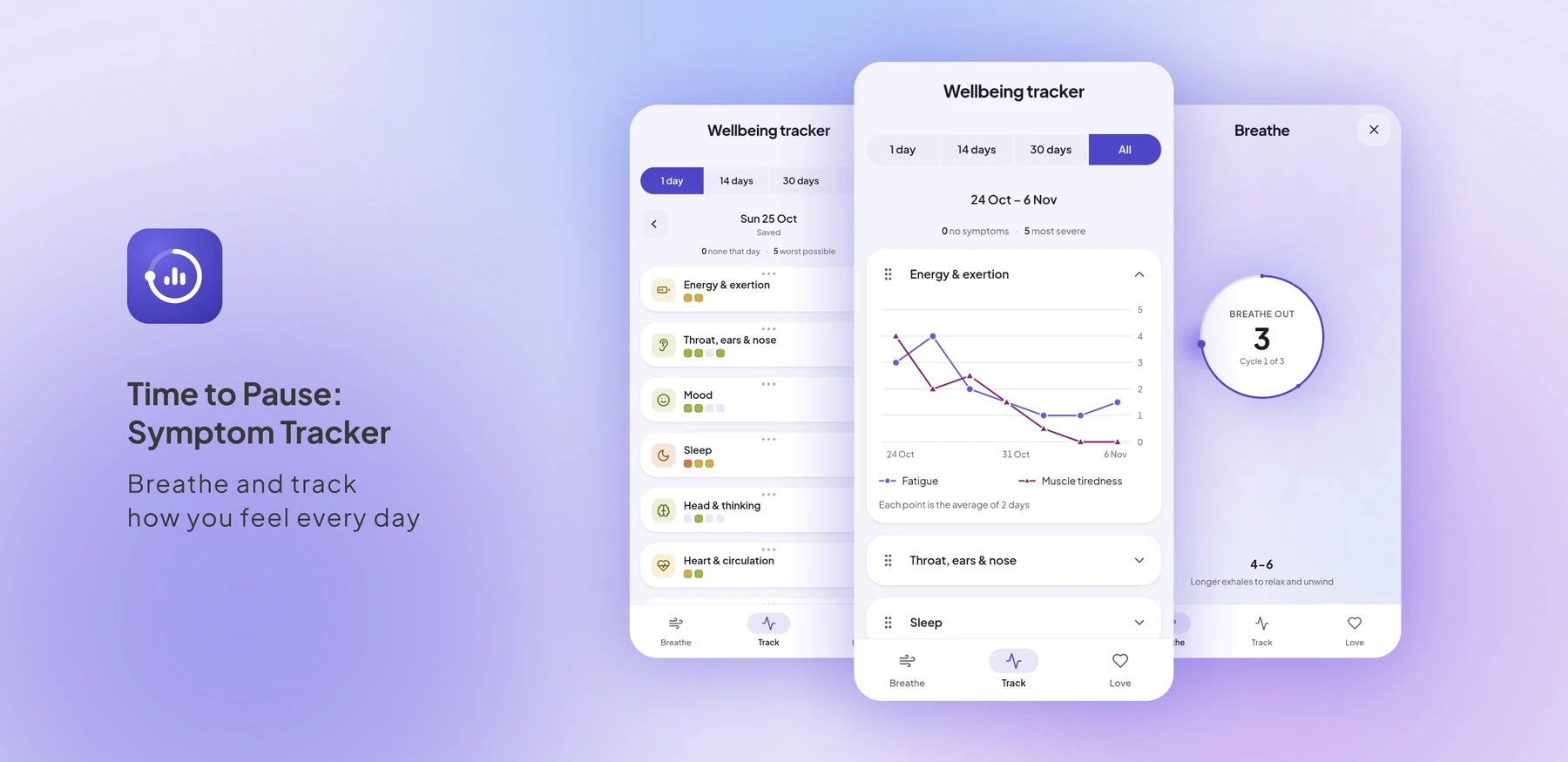
Time to Pause: Symptom Tracker, published by APK Studio, is a private symptom diary for Long COVID and other chronic, fluctuating conditions, including perimenopause, burnout and recovery from illness.
Context
Living with Long COVID, I found it difficult to remember how symptoms changed between specialist appointments. Notes, spreadsheets and other trackers did not fit what I needed: logging had to be quick on a difficult day, patterns needed to be clear over time, and my symptom data had to remain private.
I built the MVP around that need, while designing its structure to accommodate perimenopause, burnout, recovery from illness and other chronic, fluctuating conditions. It is a personal tracking diary, not a medical device; it does not diagnose, treat, cure or prevent a condition.
My role and scope
I was the sole person involved in product design, development and deployment. I set the product goals and information architecture, defined the symptom model and design system, directed Claude Code, reviewed and tested every iteration, and handled Android release, Play Store requirements, listing assets and privacy decisions.
I began with an advanced master prompt covering the app’s purpose, structure, information architecture, visual preferences and design-system references. It included the symptoms I needed for specialist appointments, with the requirement that people could expand the app for more symptoms and conditions.
Approach
Design before implementation
I set the visual direction and created a reusable design system, documenting its tokens and component patterns in DESIGN.md. I used lightweight prototypes to validate key visual and interaction choices, then refined them into consistent patterns for charts, exports, timeline events and breathing.
Reduce effort without limiting the data
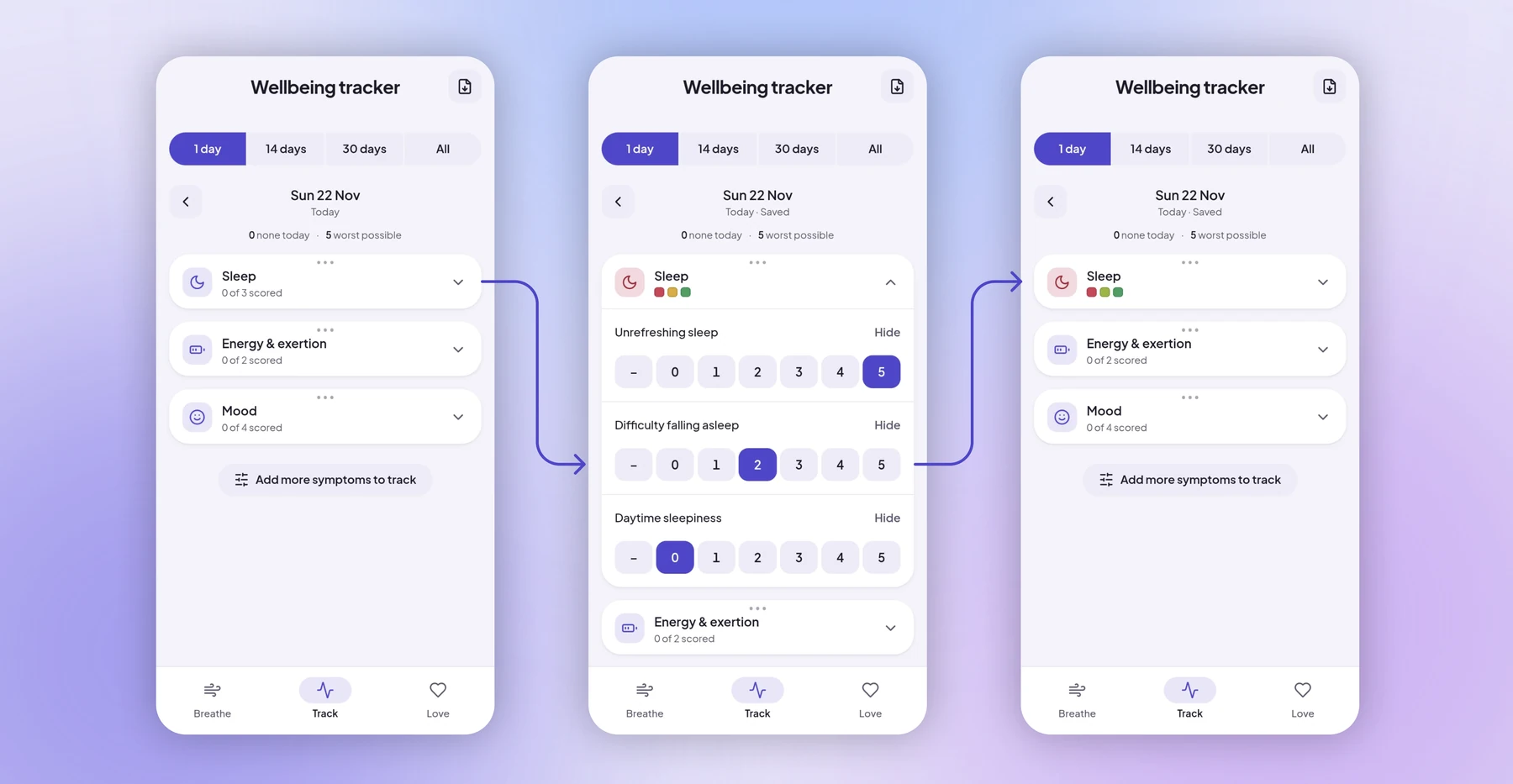
I initially designed a 0–10 score. During appointments, however, the useful signal was the shape of the trend and the height of symptom spikes—not whether a score was a 7 or an 8. The full range plus a not-applicable option created 12 choices, increased the decision load and made each tap target smaller. I changed the scale to 0–5, keeping a clear severity range while making daily logging simpler and the controls easier to tap.
The MVP starts with three symptom categories rather than showing a long list at once. People can add, hide, archive and reorder categories as their needs change. Each score saves immediately, and earlier days can be filled in if someone misses a check-in.
Turn tracking into useful appointment reports
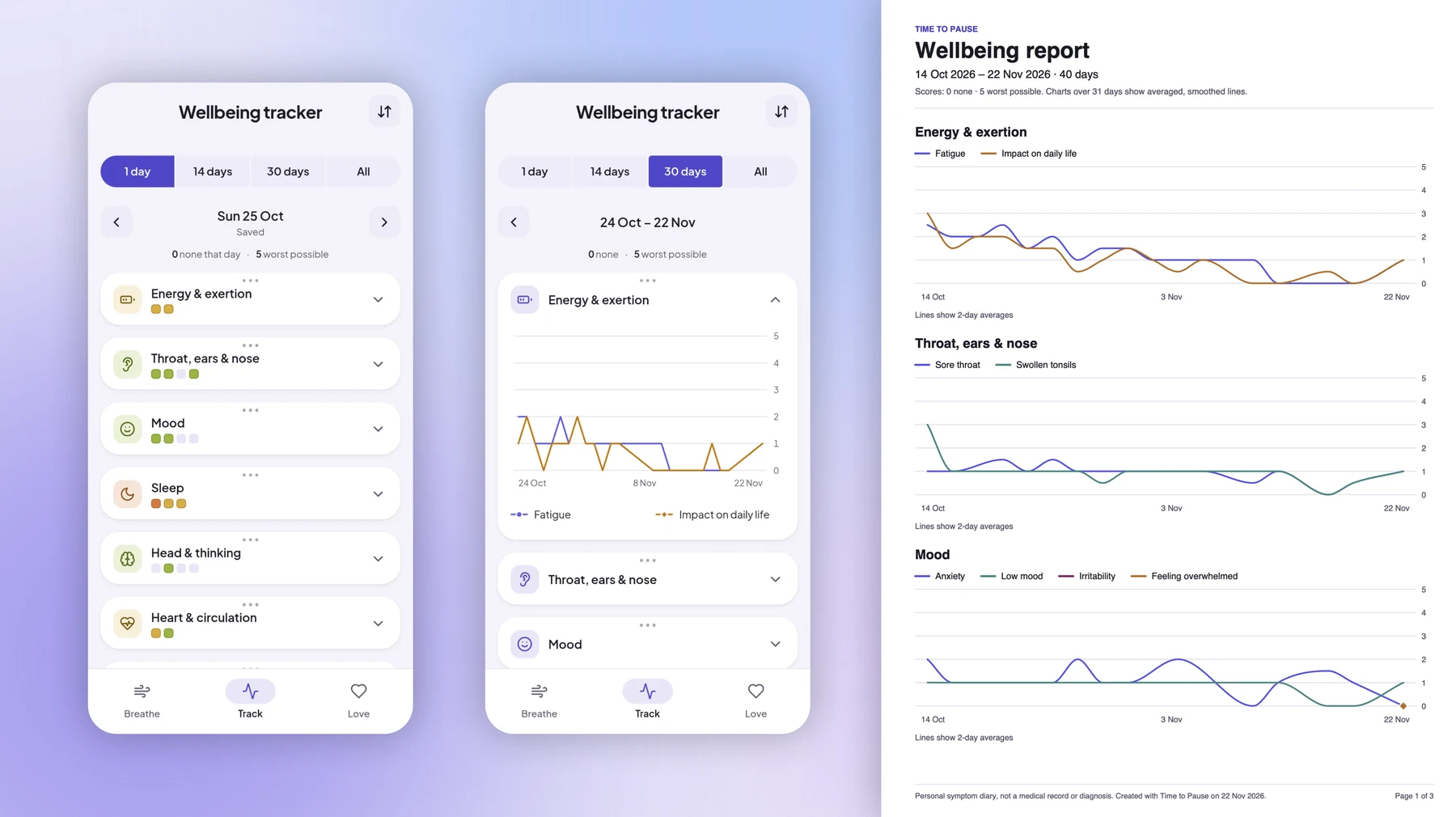
I also designed PDF and CSV export so people can choose what to bring to an appointment or analyse elsewhere. PDF reports are generated on the device, and CSV export uses the same format as import so a history can move in and out without losing scores.
Outcome and ongoing care
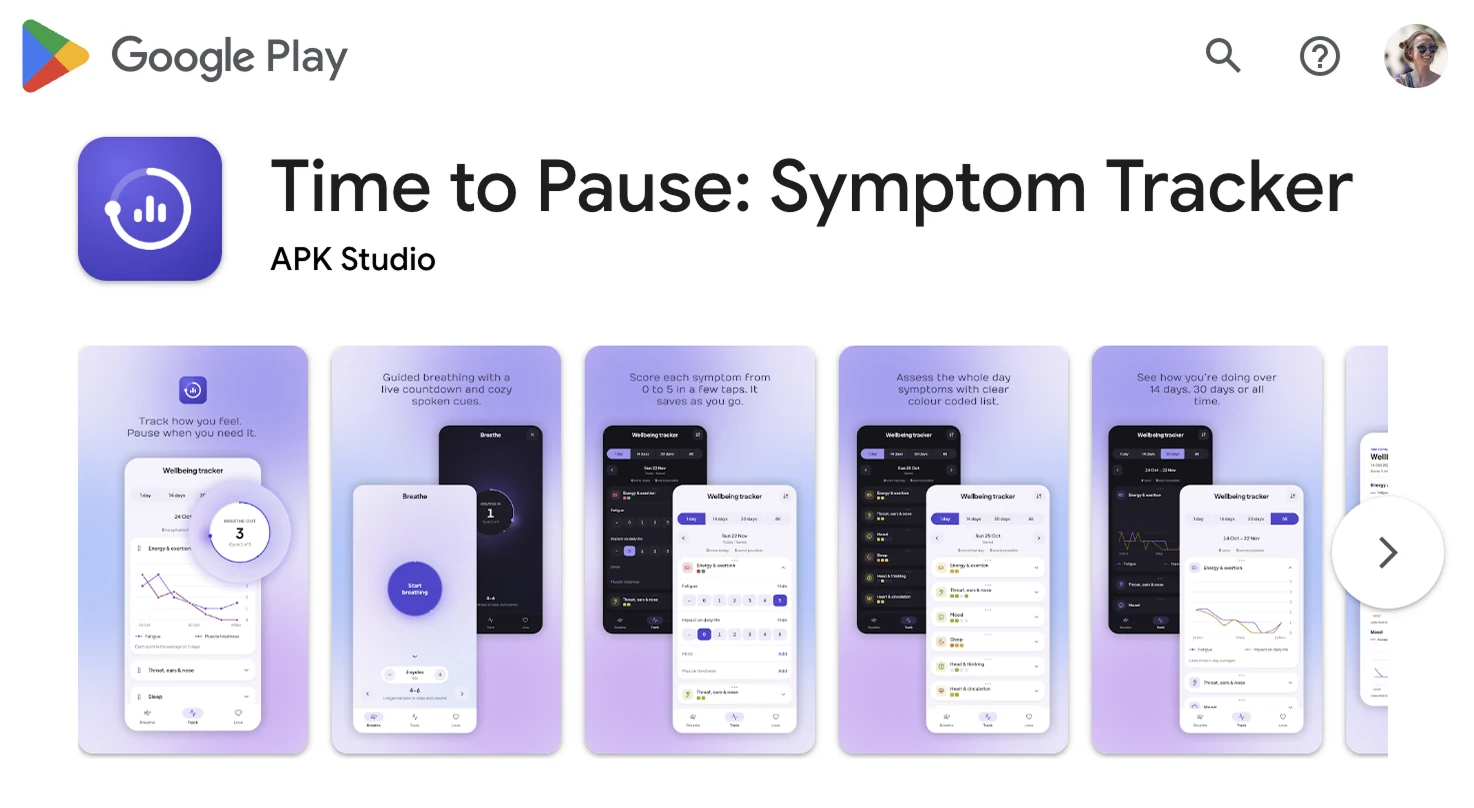
Time to Pause: Symptom Tracker is live on Google Play. It supports quick check-ins, adjustable symptom categories, trend charts, timeline events, PDF and CSV reports, and guided breathing. There is no account, sign-in, advertising or cloud sync. Symptom scores, symptom names and user-entered events stay on the device and are never sent to analytics.
Firebase collects basic usage statistics, such as which screens are opened, to help improve the app. These statistics are not linked to a name or account, and never include what someone tracks or how they feel. I monitor downloads, app opens, crashes and Android vitals. The app is free to download, with an optional one-time in-app tip.
What I learned
AI coding tools can accelerate execution, but the product still needs a person to set direction, define constraints, evaluate trade-offs and own quality. Treating design as part of the build—not a handoff—let me iterate quickly without losing control of the experience, privacy boundaries or release readiness.
Frequently asked questions
💬 How does daily symptom logging work?
Choose a score from 0 (none) to 5 (severe) for each symptom; it saves instantly. You can fill in an earlier day if you missed a check-in. The app starts with Energy & exertion, Ears, throat & nose, and Mood, and lets you add, hide, archive and reorder symptoms and categories as your needs change.
💬 What can I learn from my symptom history?
View trends for 1 day, 14 days, 30 days or all time, with a line for each symptom. Add timeline events, such as a medication change, to compare them with your symptoms over time.
💬 Can I share or analyse my data?
Export a PDF of the trends you choose to discuss with a doctor or GP, or export a CSV to analyse or plot elsewhere.
💬 Who is the app for?
The starting symptoms reflect common Long COVID experiences, including fatigue, post-exertional symptoms, brain fog, sore throat, palpitations, dizziness and unrefreshing sleep. You can also adapt it for perimenopause (hot flushes or hot flashes, night sweats, sleep and mood), burnout, recovery from illness and other chronic or fluctuating conditions. Read more about it here.
💬 How does the app protect my privacy?
There is no account, sign-in or advertising. Symptom scores, symptom names and user-entered events stay on your phone and are removed if you uninstall the app. Firebase usage statistics, such as screens opened, are not linked to your name or an account and never include the health information you enter.
💬 Does the app offer guided breathing?
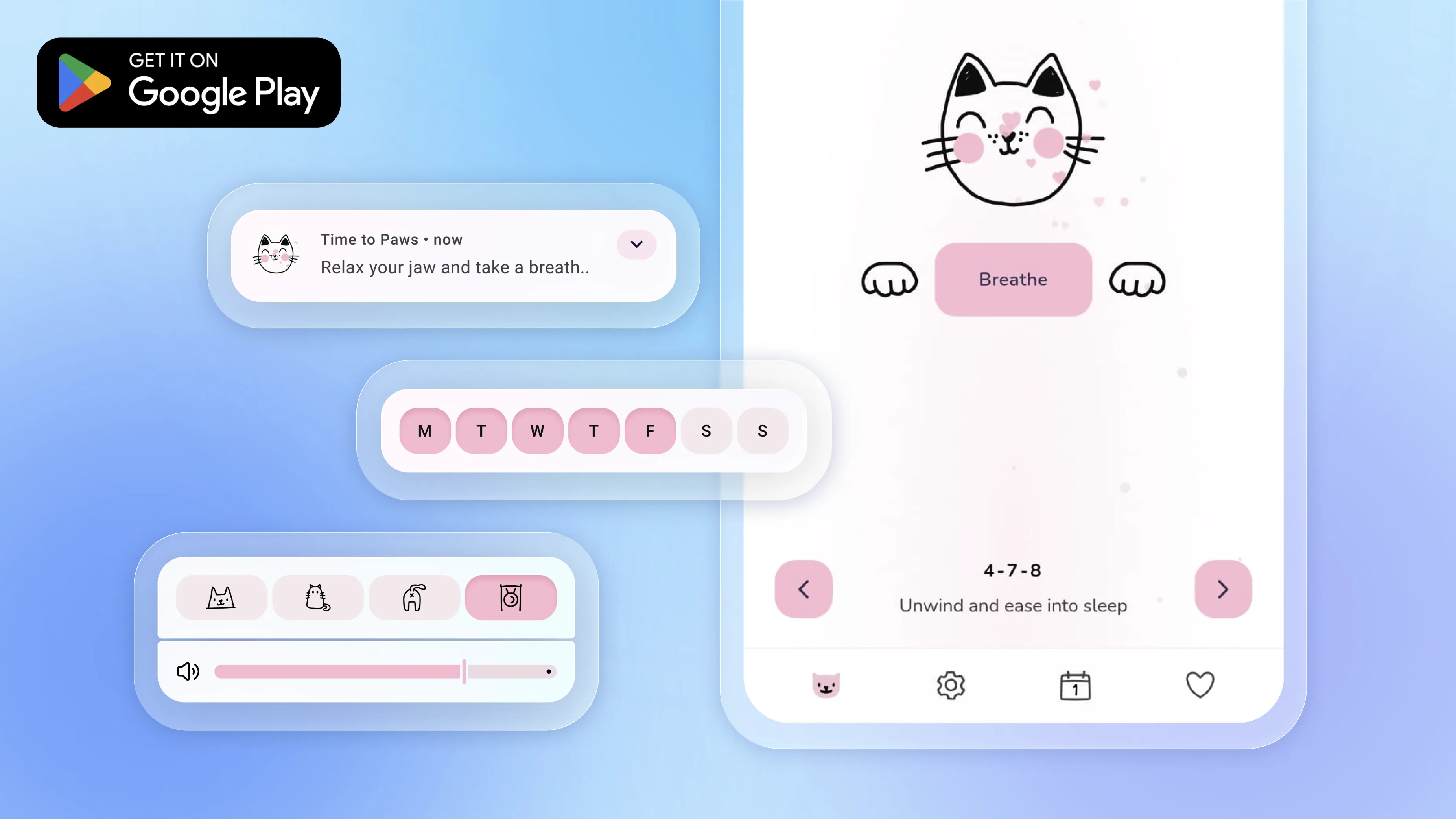
Yes. The Breathe tab offers 4×4, 5–5, 4–6 and 4–7–8 patterns for 1 to 20 cycles, with a dark-mode option.
💬 Is Time to Pause a medical device, and does it cost anything?
It is free to download, with an optional one-time in-app tip. It is a personal tracking diary, not a medical device, and does not diagnose, treat, cure or prevent any condition. Consult a healthcare professional for medical advice, diagnosis or treatment.